


Contents: Removal procedure ↧ Installation procedure ↧
Removal procedure
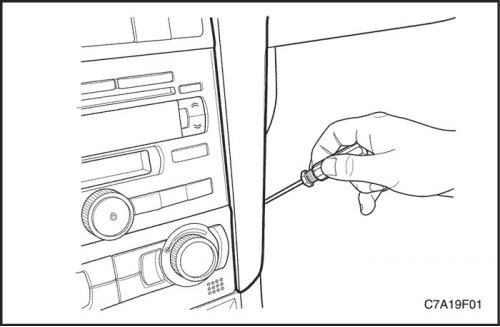
1. Remove the center instrument panel trim panel.
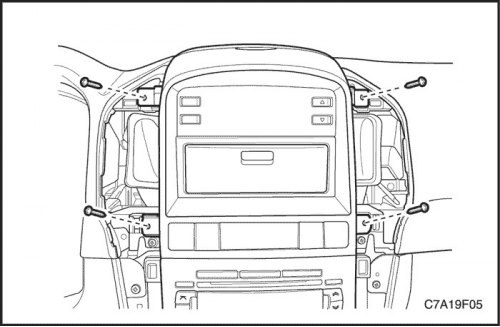
2. Unscrew the screws and remove the additional instrument panel frame.
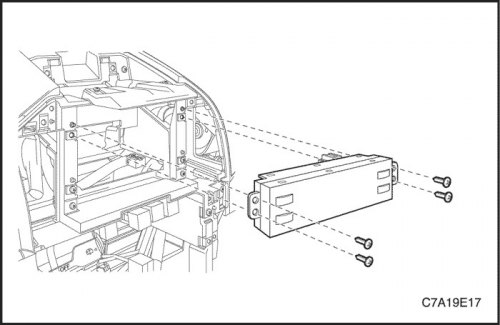
3. Remove the screws and driver information center.
Installation procedure
Note: Direct contact of dissimilar metals may result in rapid corrosion. Use proper fasteners to avoid premature corrosion.
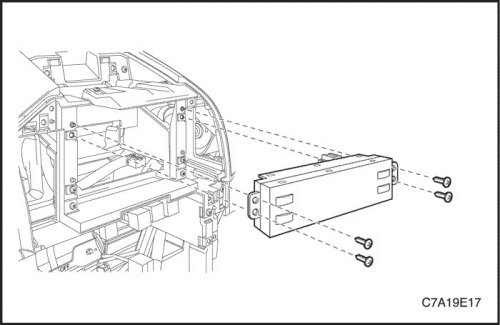
1. Install the driver information center and tighten the screws.
Tighten
Tighten the driver information center screws to 2 Nm (18 lbs.in).
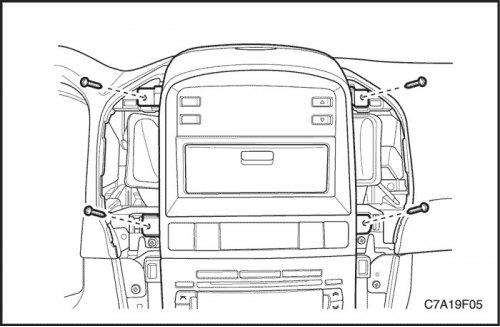
2. Install the additional instrument panel frame using screws.
Tighten
Tighten the screws of the additional instrument panel frame with a torque of 2 Nm (18 lbs.in).
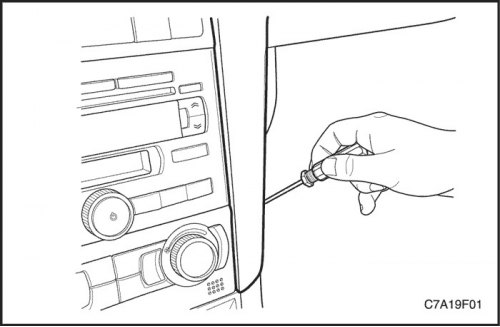
3. Install the center instrument panel trim panel.
The article is based on data from the website «chevyman»