


Contents: Control Panel ↧ Steering wheel ↧
Control Panel
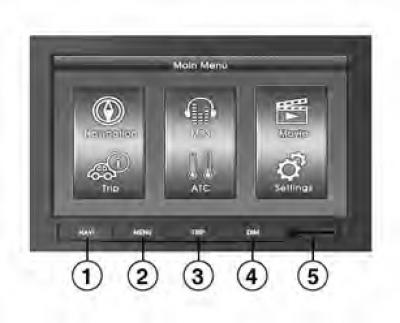
- 1. NAVI: navigation
- 2. MENU: main menu
- 3. TRIP: on-board computer data
- 4. DIM: Switches the screen to day or night mode.
- 5. SD card slot
Steering wheel
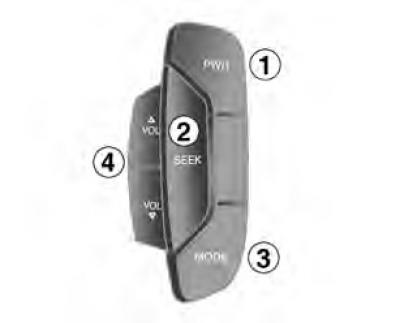
- 1. Power on/off
- 2. Move to the next station or track
The button is used to switch to the next radio station in the selected frequency range or to the next music track.
- 3. Switching modes.
Each time you press this button, the radio switches between AM, FM, CD, AUX, NAVI and Multimedia modes.
- 4. Volume control
Note: The steering wheel switch button may not be available depending on the vehicle type.
Pressing the MODE or SEEK button repeatedly with short breaks may cause the processor to overload and the system to crash.