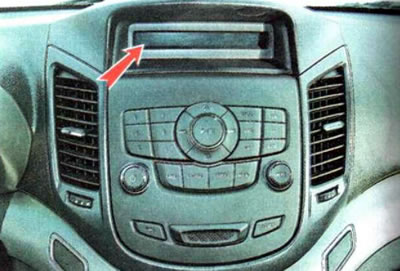
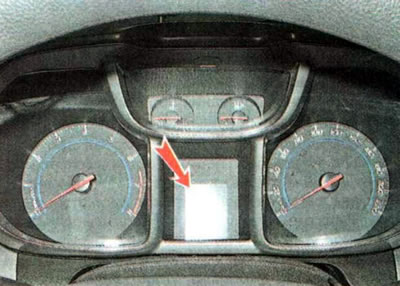
The information display on the instrument panel shows information about the vehicle's driving parameters.
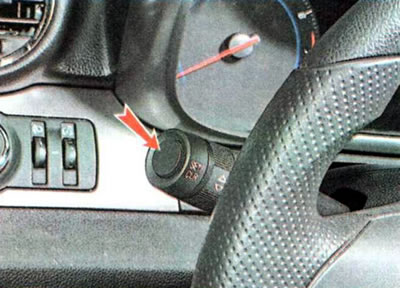
Switching between modes on the display occurs by pressing the SET/CLR button located on the end of the left steering column switch.
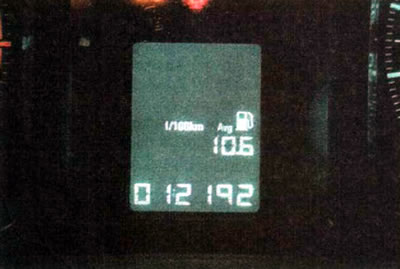
The display shows the following information:
- Odometer of daily and total mileage of the vehicle (km) — mileage since the last reset of the readings and the total mileage of the vehicle since the start of operation.
- Average fuel consumption (l/100 km) is an average value calculated based on the vehicle's mileage after the last reset of the counter and the volume of fuel consumed during this period.
- Estimated range (km) on fuel remaining in the tank is an average value calculated based on the amount of fuel in the tank and average fuel consumption.
- Average vehicle speed (km/h) - the value is calculated based on the mileage and engine operating time since the last reset.
- Current (instantaneous) fuel consumption (l/100 km) - a value updated every 2 seconds.
To reset the readings, hold down the SET/CLR key for more than one second.
On a vehicle with an automatic transmission, the display shows the current position of the selector lever.
The information display on the central console shows information about the operation of the car radio, air conditioning system and the current time.