


Fig 3.37 Search menu screen
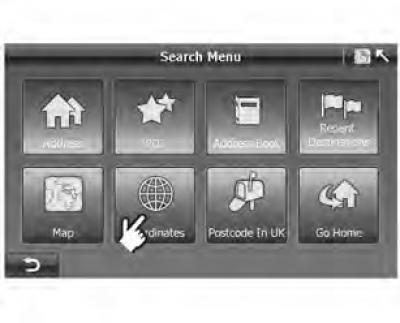
1. Click "Coordinates" ("Coordinates") on the screen "Search Menu" ("Search menu"):
- On the screen "Search Menu" ("Search menu") (figure 3.37) select "Coordinates" ("Coordinates") to go to the screen "Coordinates Input" ("Entering coordinates") (figure 3.38).
Figure 3.38 Entering coordinates in degrees
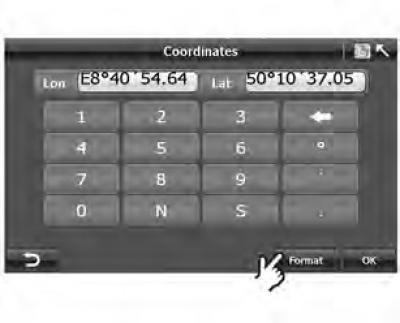
2. Click "Format" to change the coordinate type; The A-Navi system supports two types of coordinate formats: degrees (figure 3.38) and digital format (figure 3.39). Click the "Format" button to change the format.
3. Enter the coordinates and click "OK".
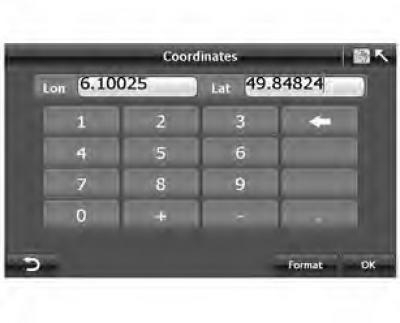
Figure 3.39 Digital format
In the "Degree" format, click the "Lon" input field (figure 3.38). Don't forget to enter "E" (east longitude) or "W" (west longitude) before the number indicating degrees. Before entering degrees of latitude, you must enter "N" (North latitude) or "S" (Southern latitude).
In format "Digital" ("Digital") enter "—" (West Longitude/South Latitude) before the longitude or latitude value.