


Contents: Mechanical door locks ↧ Electric door locks ↧ Programmable Automatic Door Locks ↧ Locking the rear locks from… ↧
Warning:
- Unlocked doors are dangerous.
- Passengers, especially children, can easily open the doors and fall out of a moving vehicle if the doors are left unlocked. When the door is locked, it cannot be opened using the inside handle.
- Small children who climb into an unlocked car are sometimes unable to get out. Children can suffer from too high a temperature, become injured, or even die from heat stroke. Always lock your car when leaving it.
- If your doors are not locked, you are more likely to be ejected from your vehicle in the event of an accident. Wear seat belts properly and lock your doors whenever you travel.
- Locking your doors while driving will help prevent unwanted people from entering your vehicle when you are moving at low speeds or stopped.
Mechanical door locks
1. When outside the vehicle, use the key to lock or unlock the front doors.
To unlock and lock the doors from the inside, use the mechanical door lock (see illustration).
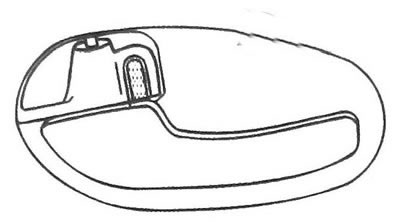
12.1 Use the mechanical door lock to unlock and lock the doors from the inside
Electric door locks
2. The electric lock control button on the driver's door control panel allows you to unlock and lock all doors (see illustration).
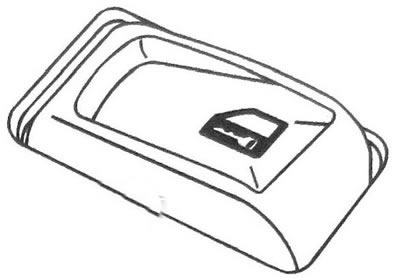
12.2 Electric lock control button in the control panel on the driver's door
3. To lock all doors, press the side of the switch that has the lock symbol on it. To unlock all doors, press the other side of the key.
4. If your vehicle is equipped with a remote control door lock system, refer to the "Remote Control Door Lock System" subsection below.
Vehicle Key Lockout Prevention System
5. This feature prevents you from locking your car doors if you forget the key inside the car. If you press the power lock button while any door is open and the key is in the ignition, all doors will be locked and the driver's door will remain open.
Delayed door locking
6. If you press the central door lock switch or the lock button on the remote control (additional equipment) once when the driver's door is open and the key is not inserted into the ignition, you will hear a gong signal indicating that this function is active. The doors, including the tailgate, will not lock. All door locks will be automatically locked five seconds after the last door is closed.
7. To deactivate this function and immediately lock the doors, press the central door locking switch again or the lock button on the remote control.
8. To turn this function on or off, press and hold the central locking button on the driver's door in the lock position and press the lock button on the remote control twice.
9. If this function is turned off, all doors will be locked immediately after pressing the central locking button or the door lock button on the remote control.
10. The delayed door locking function does not work if the key is left in the ignition switch. If the ignition key is in the ignition, refer to the "Key Locking Preventer" subsection above.
Programmable Automatic Door Locks
11. This feature allows you to customize the automatic door locks according to your preferences.
Automatic locking
12. The system can be programmed using the Driver Information Center or using the method described below. Please read the entire procedure carefully before you start programming.
a) To select the programming mode, the ignition must be off. Pull the multi-function lever towards you until it stops. While holding the lever in this position, turn the ignition key to the ON position and back to the LOCK position twice.
b) Release the multi-function lever. The door locks should lock and unlock once and a double beep should sound to confirm you have entered programming mode. Once you release the lever, you will have thirty seconds to program this feature.
Note: To exit programming mode at any time, turn the ignition key to the ON position, or do not press either side of the central door locking switch. The door locks will lock and unlock again and a chime will sound twice to confirm that you have exited programming mode.
If you do not press any part of the door lock switch while you are in programming mode, the current setting will not be changed
c) To program the automatic door locking mode according to your own preferences, use the central electric locking switch on the driver's door.
You can choose one of the following modes:
- Mode 1: All door locks automatically lock when you move the automatic transmission selector from the P (Park) position.
This setting is set by factory default.
- Mode 2: All door locks automatically lock when the vehicle speed exceeds 13 km/h.
d) Press the locking part of the central electric door lock switch to change the automatic operation mode of the door locks sequentially.
e) Turn on the ignition to exit the programming mode. The door locks will lock and unlock again and a chime will sound twice to confirm that you have exited programming mode. Please contact your dealer for more details.
Automatic unlocking
13. The system can be programmed using the Driver Information Center or using the method described below. Please read the entire procedure carefully before you start programming.
a) To select the programming mode, the ignition must be off. Pull the multi-function lever towards you until it stops. While holding the lever in this position, turn the ignition key to the ON position and back to the LOCK position twice.
b) Release the multi-function lever. The door locks should lock and unlock and a double beep should sound, confirming that you have entered programming mode. Once you release the lever, you will have thirty seconds to program this feature.
Note: To exit programming mode at any time, turn the ignition key to the ON position, or do not press either side of the central door locking switch.
The door locks will lock and unlock again and a chime will sound twice to confirm that you have exited programming mode. If you do not press any part of the central door locking switch while you are in programming mode, the current setting will not be changed.
c) To program the automatic door locking mode according to your own preferences, use the central electric locking switch on the driver's door.
You can choose one of the following four modes:
- Mode 1: Only the driver's door lock automatically unlocks when you move the automatic transmission selector lever to the P (Park) position.
- Mode 2: All door locks automatically unlock when you move the automatic transmission selector lever to the P (Park) position. This setting is factory default.
- Mode 3: All door locks automatically unlock when you remove the key from the ignition lock.
- Mode 4: Automatic door lock unlocking is disabled.
d) Press the release portion of the central electric door lock switch to change the automatic door lock mode sequentially.
e) Turn on the ignition to exit the programming mode. The door locks will lock and unlock again and a chime will sound twice to confirm that you have exited programming mode. Please contact your dealer for more details.
Locking the rear locks from accidental opening
14. The rear doors are equipped with locks that prevent passengers, especially children, from opening them from inside the vehicle (see illustration). The rear door lock levers are located on the end of the doors. To access the locking levers, you must open the rear doors.
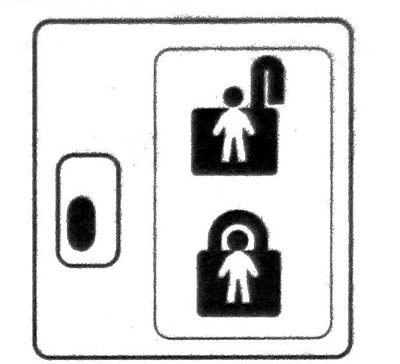
12.14 Blockers that prevent opening of rear doors from inside the vehicle
15. When the door lock is on, you can unlock the door lock from the inside. However, the doors can only be opened from outside the vehicle.
Enabling rear door locking
16. To lock the doors, move the lever on each rear door down to the lock position. To unlock the doors, open each door from the outside and move the lever up.