


Contents: Listening to the radio ↧ Search radio stations ↧ Adjusting tone and speakers ↧ Listening to a cassette recorder ↧
Listening to the radio
It is carried out in the same way as in the AM-FM stereo chapter.
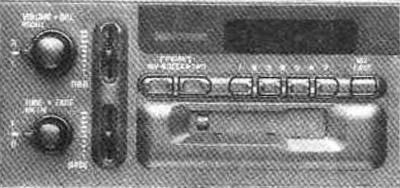
Search radio stations
It is carried out in the same way as in the AM-FM stereo chapter, however, when you press the lower button, you can select three frequency tracks AM, FM1 B FM2. Accordingly, you can set 21 fixed frequencies (seven AM, seven FM1 and seven FM2).
Adjusting tone and speakers
It is carried out in the same way as in the AM-FM stereo chapter.
Listening to a cassette recorder
Your cassette recorder is designed to play tapes that are 30-45 minutes long on each side. Tapes longer than this may not work.
If the tape is playing, use the VOLUM, BAL, FADE, BAS and TREB controls as if using a radio.
REV: Press the left SEEK button to rewind the tape, press the right SEEK button to stop.
FWD: Press the right SEEK button to fast forward the tape. Press the left SEEK button to stop the tape.
RECALL: Press this button to change tape tracks.
EJECT: Press this button to eject the tape or stop it and switch to listening to the radio.
CLN: If this message appears on the display, the cassette player needs to be cleaned. Do this as soon as possible.