


a) When turning the headlight switch to the position
 the front and rear side lights, instrument cluster lighting, air conditioning control panel lighting, license plate lighting and lighting of some control switches are switched on.
b) When turning the switch to the position
 the low beam headlights are turned on.
Note: The brightness of the instrument cluster illumination can be changed using the rheostat located to the right of the headlight switch.
Caution: To avoid draining the battery, do not leave the headlights on for long periods of time with the engine off.
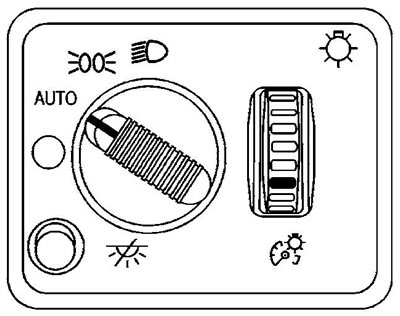
v) (Modifications) Automatic headlight switching system.
- The system is activated by turning the headlight switch to the "AUTO" position. This system turns on additional lighting when the illumination decreases (entering a tunnel, twilight, etc.). When it gets a little dark, the side lights turn on, and then, when the illumination gets even lower, the headlights turn on.
- When the engine is stopped and the driver's door is opened, the headlights automatically go out. When the ignition key is set to the "ON" position, the system continues to operate automatically depending on the lighting conditions.
g) (Models with DRL system) The daytime outdoor lighting system will operate when:
- - ignition on;
- the headlight and turn signal switch is set to the "AUTO" position;
- the automatic transmission selector is set to any position except "P";
- it's light outside.
In this case, additional lamps in the car's headlights will light. In conditions of reduced illumination, the external lighting will automatically switch to the "AUTO" mode, and the DRL system lamps will turn off.
Note: When the DRL system is operating, only the auxiliary headlights operate (dimensions, number plate light and instrument cluster light will not work).
2. To turn on the high beam headlights, push the combination steering column switch away from you. To turn off the high beam headlights and turn on the low beam headlights, pull the switch towards you.
To briefly turn on the high beam headlights (high beam headlight alarm) pull the switch towards you until it stops, then release it.
3. To turn on the turn signal, move the steering column combination switch up or down. The switch will automatically return to its original position after completing the turn. However, when changing lanes, you may need to manually return the switch to the neutral position.
To activate the lane change signal, move the switch up or down until you feel resistance and hold it in this position.
Attention:
- If the turn signal indicators on the instrument cluster flash more frequently than usual, the front or rear turn signal bulb has burned out.
- If the vehicle travels more than 1.2 km with the turn signal on, the buzzer will sound and a message will be displayed on the multi-function display "TURN SIGNAL ON".
4. To turn on the fog lights, press the fog light switch located on the left side of the instrument panel, and the corresponding indicator on the instrument cluster will light up.
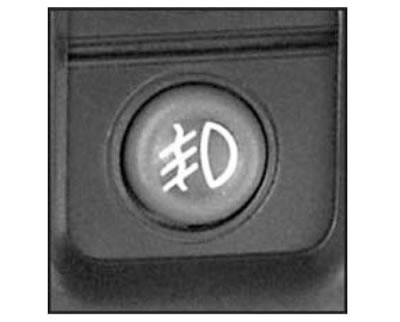
The fog lights operate only when the headlight switch is in position "--o
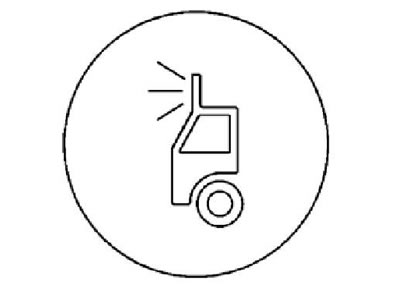
5. (Chevrolet Avalanche: modifications). Spotlight on the roof.
Your car is prepared for installation of a roof spotlight. On the dashboard, next to the control panel for the heater and air conditioner, there is a switch that turns the roof spotlight on/off (after its installation).
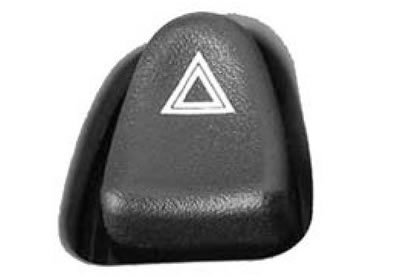
6. Turning on the hazard warning lights. The hazard warning lights can be turned on with the key in any position in the ignition switch. To turn on the hazard warning lights, press the switch located on the steering column.
Note: Use this switch when forced to stop on the road or in the event of an accident.
The article was reprinted from the website «ChevyMan.ru»