


Contents: Setting the speed of movement ↧ Cancel the set speed ↧ Decrease speed ↧ Increase speed ↧ Performing overtaking ↧ Resuming the set speed ↧
The cruise control system is activated by moving the control switch located on the combined steering column switch from position "O" to position "I", and the corresponding indicator lights up on the instrument cluster. The cruise control system is activated when the vehicle speed exceeds 40 km/h. It is recommended to use the cruise control system for long-term driving on highways with low traffic volumes. In city limits, the use of the system may cause a traffic accident.
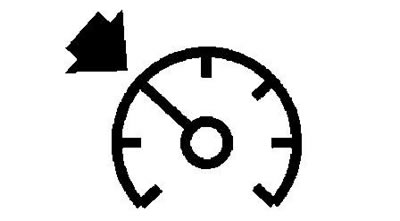
Cruise control indicator
Cruise control system control switch.
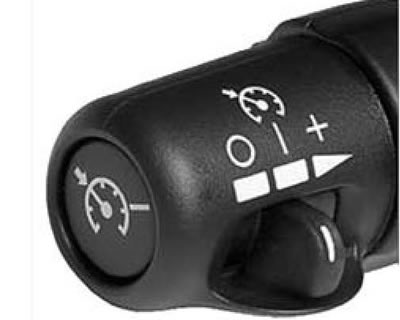
- "O" - System shutdown.
- "I" - Turn on the system.
- "+" (RES/ACC) - Increases the speed of movement when the mode is on or returns to the previously set speed of movement (speed over 40 km/h).
- "
 " (SET) - Turning on the mode and setting the speed of movement).
Setting the speed of movement
Before using the cruise control system, the automatic transmission selector must be set to position "D".
When the vehicle's speed is within the specified range (over 40 km/h), set the cruise control switch to the "I" position and press the "SET" switch. The vehicle speed will be maintained constant at the desired value without any action on the accelerator pedal.
Cancel the set speed
There are several ways to cancel the set speed:
- Move the switch to the "O" position;
- Press the brake pedal;
- Move the automatic transmission selector to position "N".
The system may be automatically disabled if:
- The Stabilitrak system will be activated;
- The accelerator pedal will be held down for more than 60 seconds.
Decrease speed
In the constant speed driving mode, pressing and holding the "SET" switch will gradually decrease the vehicle speed. After releasing the "SET" switch, a new driving mode with a newly set constant speed will be set. Briefly pressing the "SET" switch will decrease the driving speed by 1.6 km/h.
Caution: If necessary, use the brake pedal, which will disable the cruise control system.
Increase speed
Increasing speed is accomplished in two ways: either by using the accelerator pedal or by using the cruise control switch.
- a) Press the accelerator pedal until the desired speed is reached. Then press the "SET" switch and release the accelerator pedal.
- b) In the constant speed driving mode, holding the control switch in the "+" position will gradually increase the vehicle speed, and then after releasing the control switch (setting the switch to the "I" position), a new driving mode with a newly set constant speed will be established. Briefly moving the control switch to the "+" position will increase the vehicle speed by 1.6 km/h.
Note: If the accelerator pedal is held down for more than 60 seconds, the cruise control mode will be turned off automatically.
Performing overtaking
When overtaking is necessary (short-term increase in speed) press the accelerator pedal. After overtaking, release the accelerator pedal. The cruise control system will automatically reduce the speed to the previously set mode.
Resuming the set speed
If the constant speed driving mode was previously cancelled or the mode was automatically disabled (for example, when pressing the brake pedal), then when the control switch is moved to the "+" position, the previously set constant speed of movement will be established.
The material was created based on information from the website: «chevyman.ru»