
ChevyMan.ru
Mazda Mitsubishi Toyota Land Rover Honda Kia Nissan
English Русский
Български
Беларускі
Український
Српски
Hrvatski
Română
Polski
Slovenský
Magyar
|
Articles | Sitemap | Contacts |


Home   Aveo   Captiva   Cruze   Lacetti   Lanos   Niva   Tahoe   Others  
Orlando 1 (2010-2018) Trailblazer 1 (2001-2008, petrol) Lumina 1 (1989-1994)
  • Home
  • Chevrolet
  • Orlando 1
  • General information
  • Maintenance
  • Battery — Removal and Installation

Battery — Removal and Installation (Chevrolet Orlando 1)

            0

1. We prepare the car for maintenance and repair.

2. Turn off the ignition.

Warning. Do not disconnect the battery when the ignition is on. This may cause damage to the vehicle's electrical equipment.


3. Using a 10 mm wrench, loosen the fastening nut...
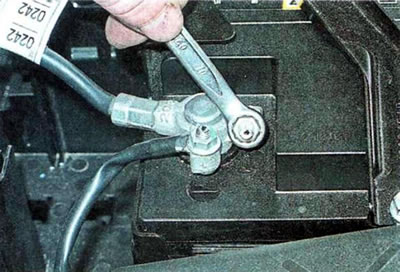
3. Using a 10 mm wrench, loosen the fastening nut...


...and remove the wire terminal from the negative terminal of the battery.
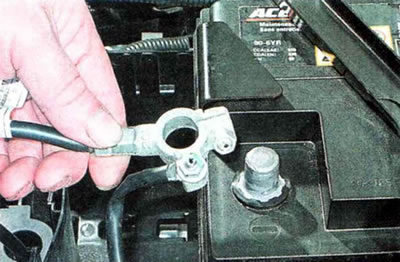
...and remove the wire terminal from the negative terminal of the battery.


4. Release the retainer.
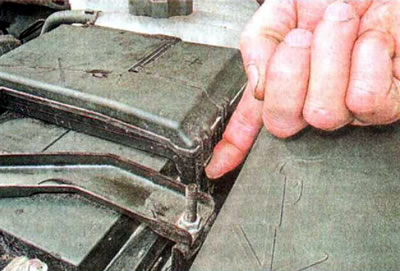
4. Release the retainer.


...and open the fuse box cover.
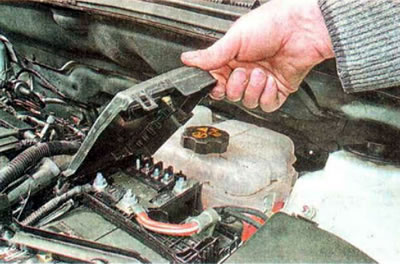


...and open the fuse box cover.


5. Using a 10 mm wrench, loosen the fastening nut...
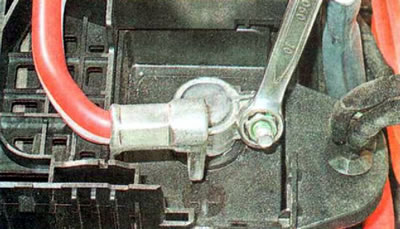
5. Using a 10 mm wrench, loosen the fastening nut...


...and remove the wire terminal from the positive terminal.
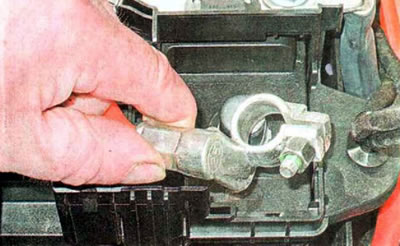
...and remove the wire terminal from the positive terminal.


6. Using a thin slotted screwdriver, press the lock...
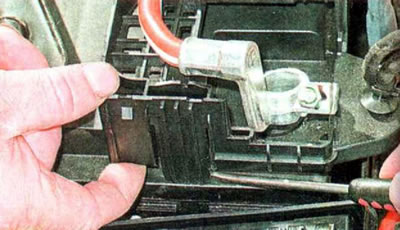
6. Using a thin slotted screwdriver, press the lock...


... and lifting it up, we disconnect the fuse box from the battery. For convenience, you can remove the cover from the fuse and relay box located nearby.
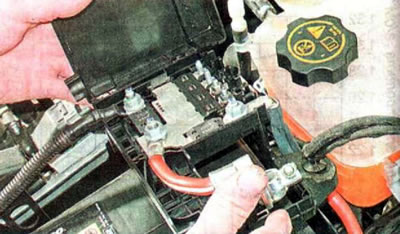


... and lifting it up, we disconnect the fuse box from the battery. For convenience, you can remove…


7. Using a 10 mm wrench, unscrew the mounting nut...
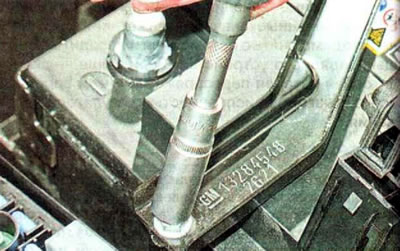
7. Using a 10 mm wrench, unscrew the mounting nut...


... and remove the pressure plate.
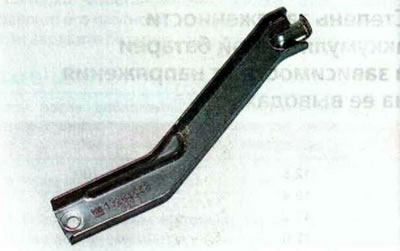
... and remove the pressure plate.


8. Using a slotted screwdriver, press the lock...
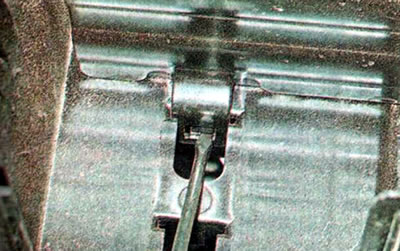
8. Using a slotted screwdriver, press the lock...


...and pulling up, we remove the battery protection.
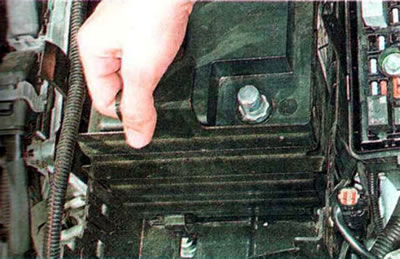


...and pulling up, we remove the battery protection.


9. Move forward and remove the battery.
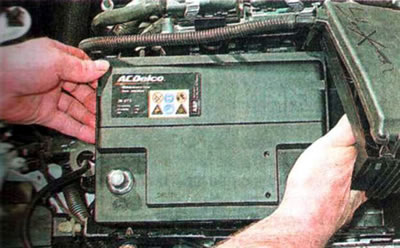
9. Move forward and remove the battery.


10. If you are installing an old battery, wipe its surface with a rag and clean the terminals and the inner surfaces of the wire terminals from oxides. We treat the battery terminals with a special cleaner.
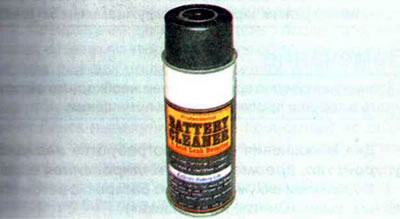
10. If you are installing an old battery, wipe its surface with a rag and clean the terminals and…


11. Install the battery in reverse order. Tighten the terminal mounting nuts to a torque of 4.5 Nm, and the clamping bar nut to a torque of 12 Nm.


Warning. Battery terminals vary in diameter, with the positive terminal having a larger diameter. Reversing the polarity when connecting the battery will result in failure of the vehicle's electronic equipment.


12. To protect against environmental influences, apply technical petroleum jelly or protective varnish to the battery terminals with the clamps installed on them.

13. To remove the battery platform, open the wire harness holder...
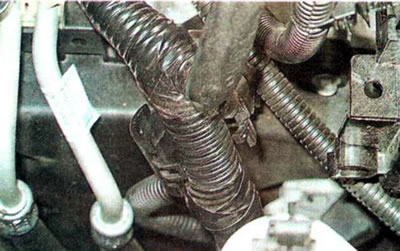
13. To remove the battery platform, open the wire harness holder...


...we use a slotted screwdriver to press the lock...
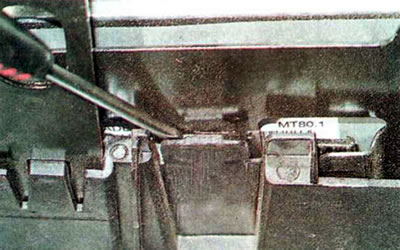
...we use a slotted screwdriver to press the lock...


...and pulling it up, we disconnect the electronic engine control unit.
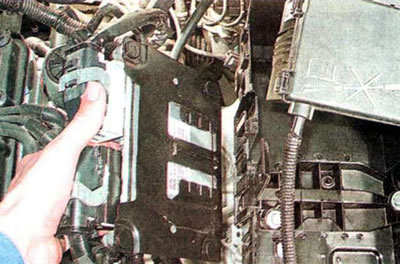
...and pulling it up, we disconnect the electronic engine control unit.


14. On the left...
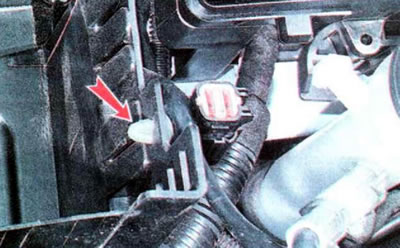


14. On the left...


...and on the right we disconnect the wire harness holders from the platform.
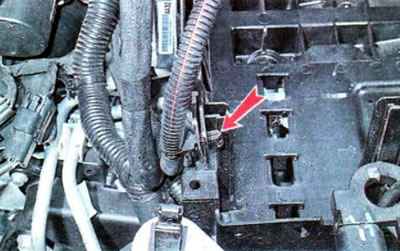
...and on the right we disconnect the wire harness holders from the platform.


15. Using a thin slotted screwdriver, press the lock...
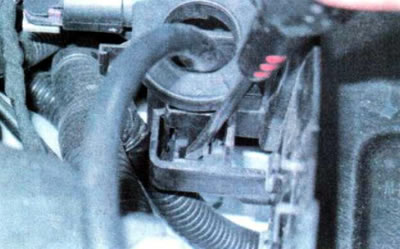
15. Using a thin slotted screwdriver, press the lock...


...and disconnect the battery current sensor from the platform.
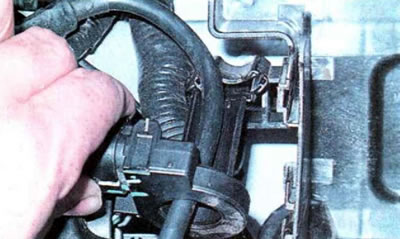
...and disconnect the battery current sensor from the platform.


16. Using a 13 mm wrench, unscrew the three mounting bolts...
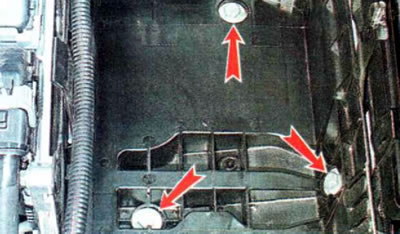
16. Using a 13 mm wrench, unscrew the three mounting bolts...


...and we rent a site.
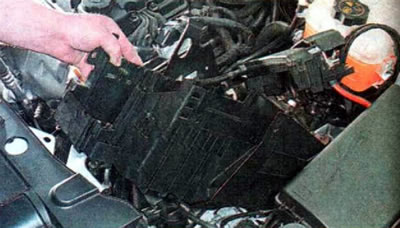
...and we rent a site.


17. Install the platform in reverse order. Tighten the platform mounting bolts to a torque of 15 Nm

Charger


The method of charging the battery depends on the characteristics of the charger, the type and condition of the battery. The work is shown using the example of charging a shallowly discharged open-type battery with a non-automatic charger. The basic steps in operation are common to all types of batteries and chargers. In any case, when charging the battery, you must use the instructions for the charger and battery (if available).

Warning. For charging maintenance-free batteries (closed type) use chargers with automatic voltage regulation and automatic shutdown (it is better if the charger has a mode for charging maintenance-free batteries).


Note: The battery must be charged in a well-ventilated area.


To complete the work you will need a charger, a hydrometer, and distilled water.

1. Remove the battery from the car (see above "Removal and installation").

Recommendation. If possible, charge the battery in a warm room with the electrolyte heated to a positive temperature.


2. Clean the outer surface of the battery with a rag soaked in a solution of baking soda, ammonia or a special product in an aerosol can.
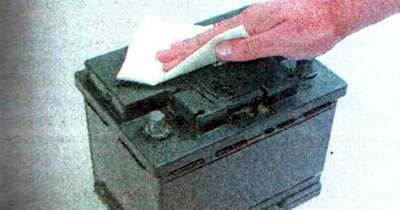
2. Clean the outer surface of the battery with a rag soaked in a solution of baking soda, ammonia…


3. Open the battery caps and check the electrolyte level in the battery sections, adding distilled water if necessary.

4. Connect (observing polarity) to the battery terminals of the charger and only then plug the charger into the network.
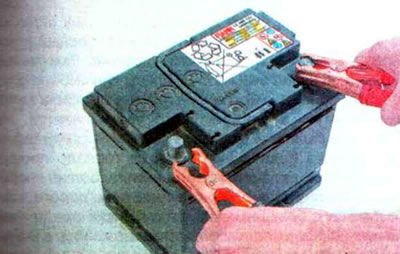
4. Connect (observing polarity) to the battery terminals of the charger and only then plug the…


We set the charging current to about 10% of the nominal battery capacity. The charging current for a battery with a nominal capacity of 60 Ah should be 6 A. The charging time for a completely discharged battery is at least ten hours.

5. Charge the battery. We control the process by periodically checking the charge level, measuring the density of the electrolyte or the voltage at the battery terminals.

6. When the voltage at the battery terminals reaches about 14.4 V, reduce the charging current by half.

7. Stop charging the battery after all of its batteries begin to emit gas: first, disconnect the charger from the power supply and only then disconnect the wires from the battery terminals. If gas is not released in one of the cans, then most likely there is a short circuit between the plates and the battery is faulty.

8. Close the caps of the cans and install the battery in the car.

[The original article can be found on the resource «ChevyMan»]

The article was checked: Vladimir Romannikov
This article is available at russian, bulgarian, belarusian, ukrainian, serbian, croatian, romanian, polish, slovak, hungarian

Share information:

Previous articles
Orlando 1: Maintenance
Next articles

Checking and servicing the battery
Purchasing a battery
Rechargeable battery
Vehicle units
Hydrometer — control of coolant and battery density
Air filter
Cleaning and replacing the air filter element
Removal and installation the air filter housing
Tire pressure


See similar articles on the topic of Chevrolet cars:
The battery is not recharging Chevrolet Aveo T300 (2012-2018)
Rechargeable battery Chevrolet Captiva 1 (2006-2018)
The battery is not recharging Chevrolet Cruze 1 (2008-2016)
Starting the engine from another car's battery («jump-starting») Chevrolet Lacetti 1 (2002-2009)
Starting the engine from another car's battery (jump-starting) Chevrolet Lanos T150 (2002-2009)
Battery Chevrolet Niva 1 (2002-2016)
Battery packs Chevrolet Tahoe 1 (1992-2000)
Link in different formats to this page


Visitor comments

No comments yet


How much will 26 + 40 =


Orlando 1 (2010-2018) 
  • General information
  • Introduction to manual
  • User manual
  • Maintenance
  • Troubleshooting
  • Power unit
  • Engine repair
  • Fuel and control system
  • Cooling and lubrication system
  • Ignition system
  • Transmission
  • Clutch
  • Gearbox
  • Drive shafts
  • Chassis
  • Car suspension
  • Steering
  • Brake system
  • Body
  • Exterior (external elements)
  • Doors, locks and windows
  • Electrical equipment
  • Equipment and devices
  • Windscreen wipers
  • Power devices
  • Electrical diagrams


Trailblazer 1 (2001-2008) 
  • General information
  • User manual
  • Troubleshooting
  • Maintenance
  • Power unit
  • Engine in a car
  • Engine overhaul
  • Cooling and heating
  • Fuel and exhaust system
  • Engine electrical equipment
  • Engine control
  • Transmission
  • Automatic gearbox
  • Transfer case
  • Drive shafts and cardan
  • Chassis
  • Brake system
  • Car suspension
  • Steering
  • Body
  • Exterior (external elements)
  • Interior (internal elements)
  • Doors, locks and windows
  • Electrical equipment
  • Equipment and devices
  • Electrical circuits


Lumina 1 (1989-1994) 
  • General information
  • Maintenance
  • Power unit
  • Engine 3.1L V6
  • Engine 3.8L V6
  • Engine overhaul
  • Cooling system
  • Power and exhaust system
  • Fuel injection
  • Engine electrical equipment
  • Reduced exhaust gas toxicity
  • Transmission
  • Automatic gearbox
  • Drive shafts
  • Chassis
  • Brake system
  • Car suspension
  • Steering
  • Body
  • Heating and air conditioning
  • Repair of body elements
  • Doors, covers and windows
  • Interior (internal elements)
  • Electrical equipment
  • Equipment and devices
  • Electrical circuits


ChevyMan.ru © 2017-2026 · Mobile version · Feedback · Site search · Interesting to read · Sitemap: EN BG BY UA RS HR RO PL SK HU

Aveo 2003-2008 · Aveo 2006-2011 · Aveo 2012-2018 · Captiva 2006-2018 · Cruze 2008-2016 · Lacetti 2002-2009 · Lanos 2002-2009 · Niva 2002-2016 · Tahoe 1992-2000 · Tahoe 2000-2014 · Lumina 1 1989-1994 · Trailblazer 1 2001-2008 · Orlando 1 2010-2018 ·
🛡️ For your security and to improve our service, this site uses cookies. You can disable them in your browser.