


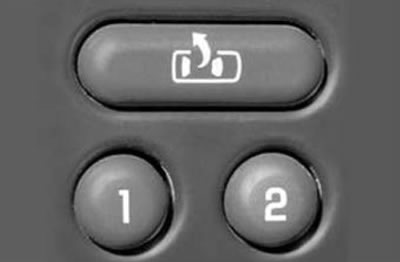
1. After you have configured the data of the listed systems "for yourself", press and hold one of the buttons "1" or "2" located on the driver's door panel until you hear a beep (after the signal the settings will be saved into memory).
2. Easy entry/exit system. The system allows you to store in the memory of the driver's seat electric drive control unit a seat position that will be most convenient for the driver to enter or exit the vehicle. To use the system, follow these steps:
a) Use buttons "1" or "2" to select the driver for whom the setting will be made.
b) Adjust the position of the driver's seat for comfortable entry/exit.
c) Press and hold the Easy Entry/Entry button (located above the driver selection buttons) about three seconds. After the buzzer sounds twice, the setting will be saved.
d) The system is activated by briefly pressing the button for the easy entry/exit system, or immediately after removing the key from the ignition switch (if the system was configured via the multifunction display).